
Invoice
Free invoice template (PDF)
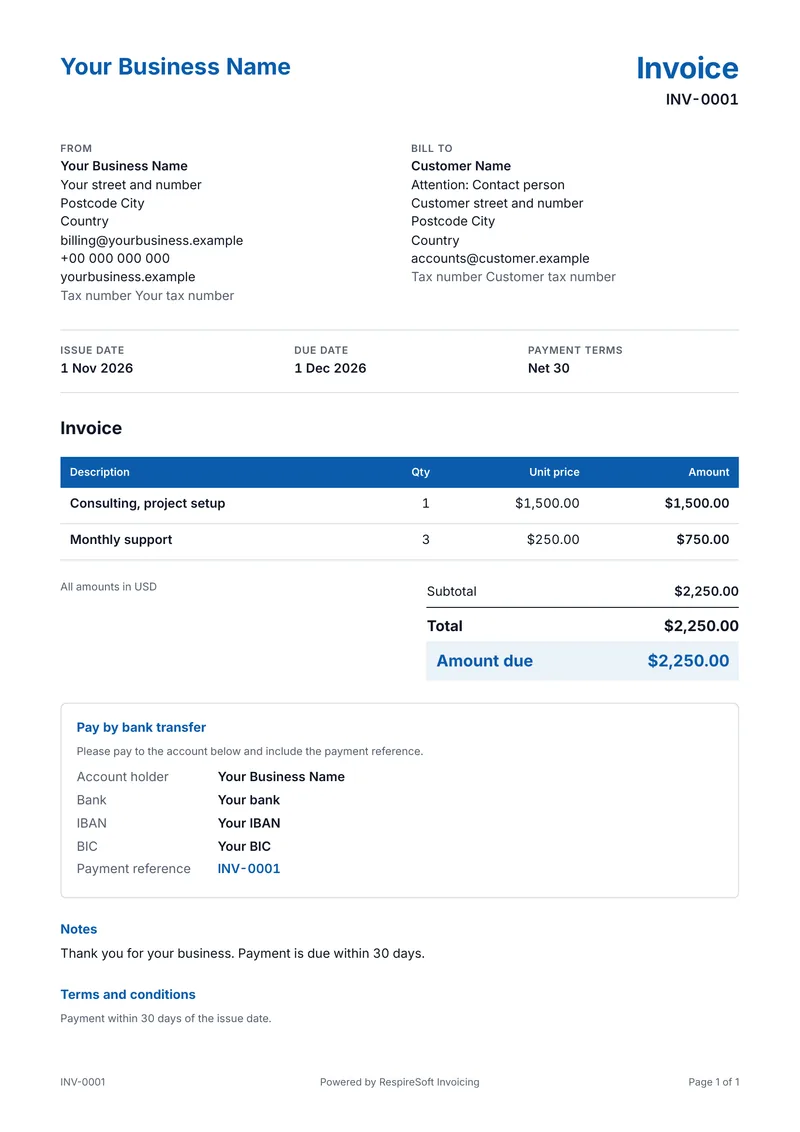
A plain, correct invoice you can read in ten seconds. Download the PDF to see what goes where, or make your own in RespireSoft Invoicing and send it with a payment link.
A sample PDF with made up names and amounts. Use it as a guide for your own layout.
Use it when
- You need a first invoice and want to know what must be on it.
- You invoice a few customers a month and want a clean layout.
- You want to check your current invoice against a complete one.
What to include
- Your business name, address, email and tax number
- The customer's name and billing address
- A unique invoice number and the issue date
- The due date and the payment terms
- Each item with quantity, unit price and line total
- Tax shown by rate, subtotal and the total due
- How to pay: bank details or a payment link
Tips
- Number invoices in one unbroken sequence so none goes missing.
- Put the due date in words as well as a date, for example Net 30.
- Add a payment link or bank details so the customer can pay without asking.
Questions and answers
What must be on an invoice?
Your details, the customer's details, a unique number, the date, a description of what was supplied, the amounts, the tax and how to pay. Rules differ by country, so check yours.
Is the PDF free to use?
Yes. Use it as a guide for your own layout. It is a sample with made up names and amounts.
Can I send invoices online instead of a PDF?
Yes. RespireSoft Invoicing makes the invoice, emails it as a link and marks it paid when the customer pays.
Make this document online
Create it in RespireSoft Invoicing in a minute, with your logo and numbering, then send it as a link the customer can pay.