
Invoice
Hourly invoice template (PDF)
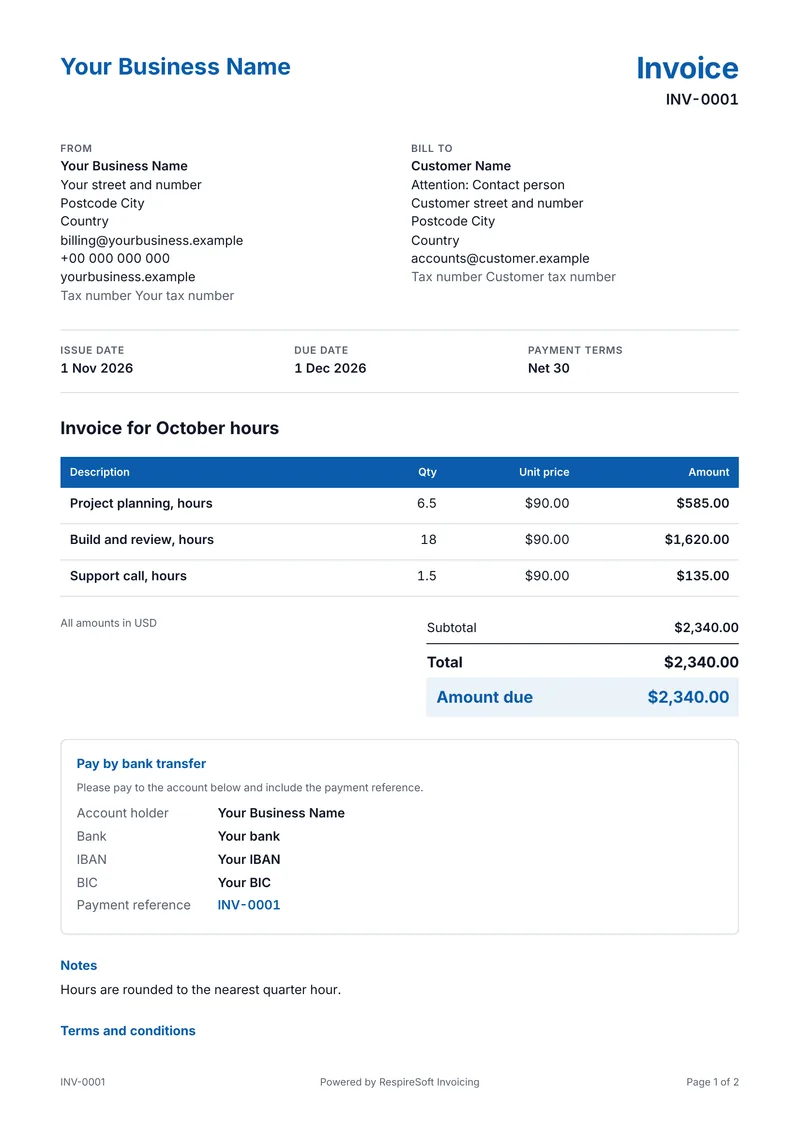
When you bill by the hour, the invoice has to show the time. This sample lists tasks with hours, a rate and a total, so the customer sees what they pay for.
A sample PDF with made up names and amounts. Use it as a guide for your own layout.
Use it when
- You charge by the hour and need to show the time.
- You bill a retainer plus extra hours.
- A customer asked for a breakdown of the work.
What to include
- Each task or period with its hours
- The hourly rate in the invoice currency
- The total hours and the total due
- Invoice number, issue date and due date
- Your details and the customer's details
- Payment details or a payment link
Tips
- Round hours the same way every time and say how in your terms.
- Keep the task text short and in the customer's words.
- Agree a minimum billing step, for example 15 minutes, before you start.
Questions and answers
How do I show hours on an invoice?
Add one line per task or day, with the hours as the quantity and the rate as the unit price. The line total is hours times rate.
Should I round hours?
Pick one rule, such as to the nearest quarter hour, and write it in your terms so it is never a surprise.
Can I add a fixed fee as well?
Yes. Add it as its own line next to the hourly lines.
Make this document online
Create it in RespireSoft Invoicing in a minute, with your logo and numbering, then send it as a link the customer can pay.