
Quote
Quote template with optional items (PDF)
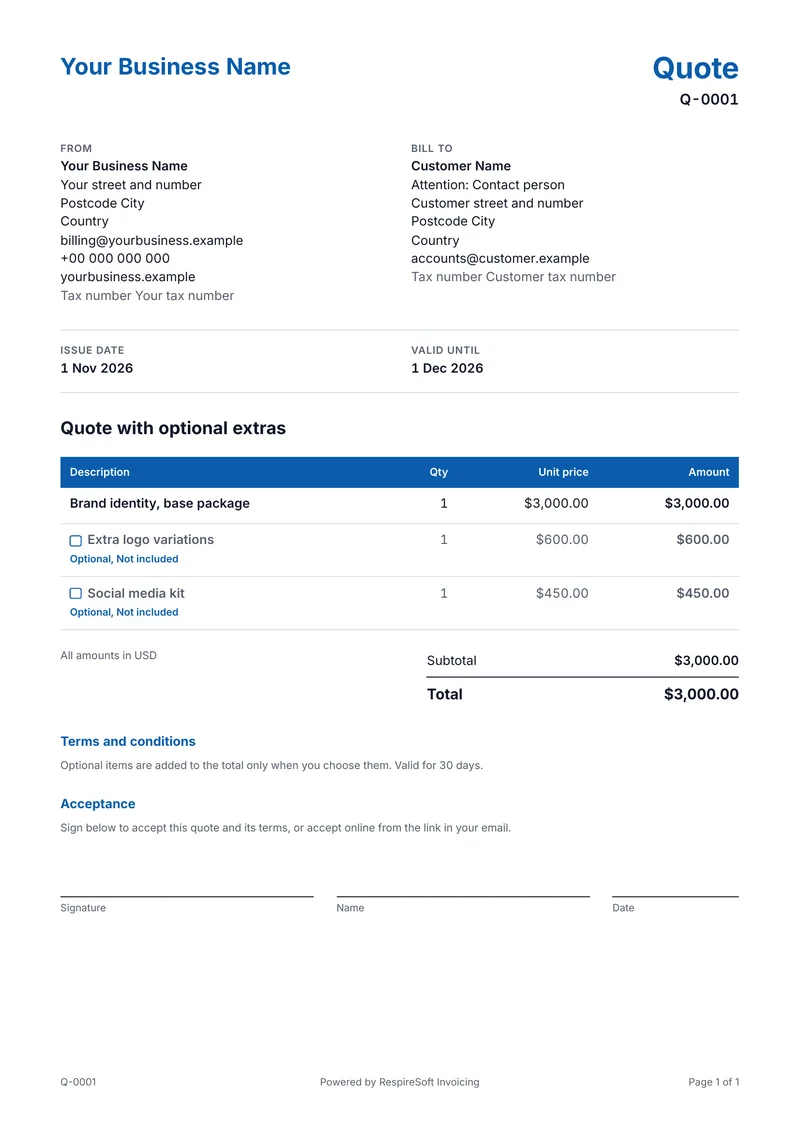
Optional lines let the customer build the job they want. This sample shows a base price, two extras to add or leave out, and a total that follows their choice.
A sample PDF with made up names and amounts. Use it as a guide for your own layout.
Use it when
- You offer a base package and extras.
- You want customers to choose, not negotiate.
- You quote the same service at a few levels.
What to include
- A clear base scope and price
- Optional lines marked as optional
- What each option adds
- The total for the base and the total with options
- The validity date and payment terms
- How the customer accepts
Tips
- Keep options few. Three extras are easier to choose from than ten.
- Show the price of each option on its own line.
- Say whether the total on the page includes the options.
Questions and answers
What is an optional line on a quote?
A line the customer can choose to add. It is not part of the total until they accept it.
Does it work for services and goods?
Yes. Use it for packages, add-ons, extra hours or accessories.
Can the customer pick online?
In RespireSoft Invoicing a customer can accept the quote online and choose the options.
Make this document online
Create it in RespireSoft Invoicing in a minute, with your logo and numbering, then send it as a link the customer can pay.